Google Ads · Concept
What is PPC dashboard?
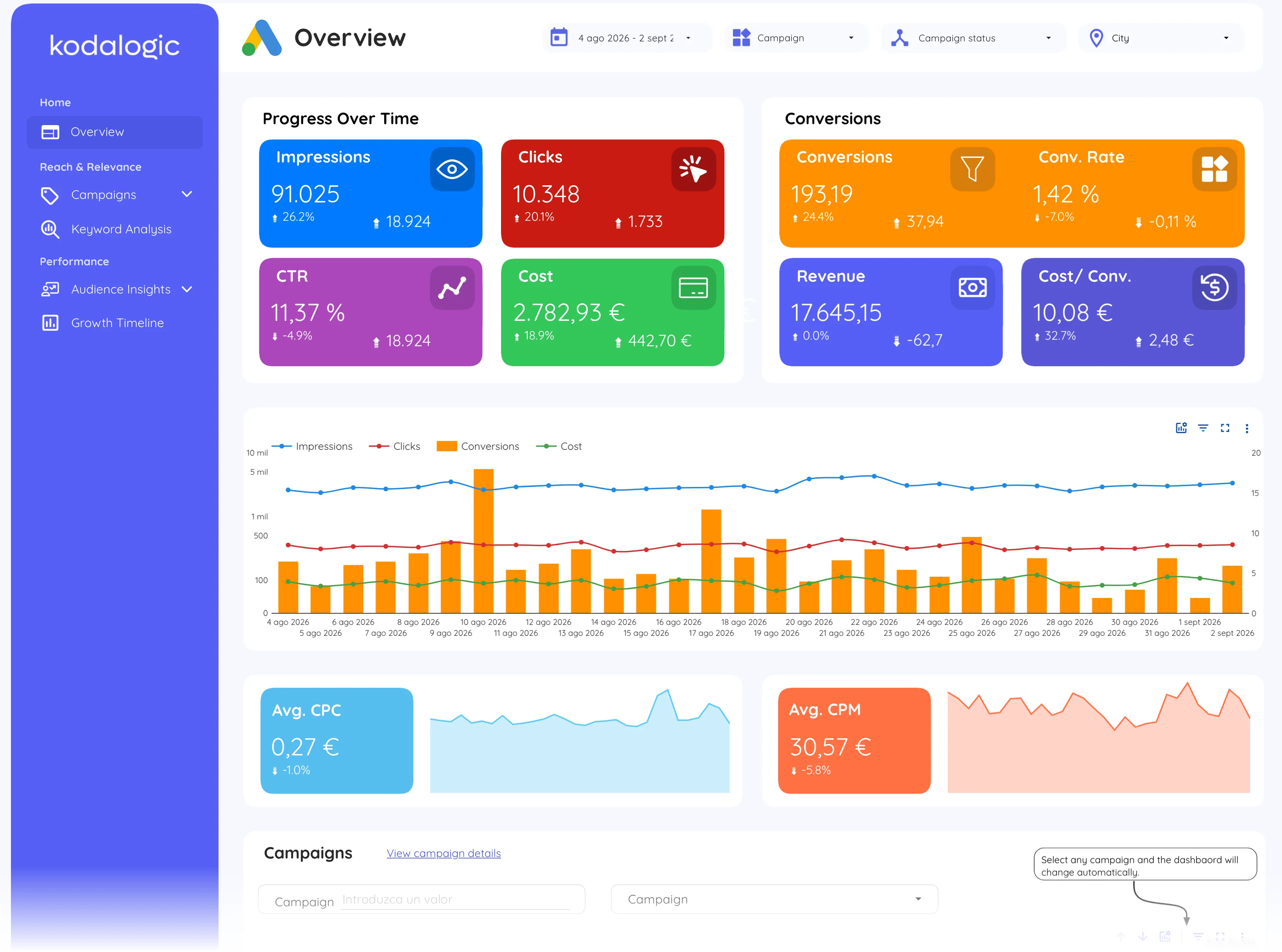
A PPC dashboard is a live report of paid-campaign performance, spend, clicks, conversions, CPA and ROAS, pulled automatically from ad platforms like Google Ads, so the numbers are current every time the report is opened.
- Google Ads
- Data Studio
- PPC dashboard
- Client
No export; the link is the report.
Spend, conversions and ROAS, live, in one link the client can open.
- Data source
- Google Ads
- Type
- Concept
How to read it
The practical value is catching drift early: budgets that stop spending, campaigns whose CPA creeps up, keywords that burn spend without converting. A dashboard that compares each campaign against its previous period surfaces those in minutes, where the ad platform's own interface requires opening each campaign one by one. Most teams review it weekly for optimisation and monthly for reporting, with the same dashboard serving both because the date range is a filter, not a rebuild.
In a Data Studio report
A typical Data Studio (formerly Looker Studio) build has scorecards for spend, conversions, CPA and ROAS, a campaign table with period-over-period deltas, and breakdowns by keyword, audience and device. Connected straight to Google Ads, it replaces the monthly export-and-paste cycle with a link that is always current. Multi-account agencies add an account selector so one dashboard template serves every client without duplicating the build.
Where to find it in Google Ads
Google Ads: Overview for the account summary; Campaigns for the table the dashboard mirrors, with Cost, Conversions and Conv. rate columns.