Google Analytics 4 · Metric
What is Key events?
Key events are the events in Google Analytics 4 that you mark as the ones that matter to the business: a purchase, a lead form, a sign-up, a call. They were called conversions until March 2024, when Google renamed them to reserve the word conversion for Google Ads.
A key event is the event you told GA4 counts as a result.
- Data source
- Google Analytics 4
- Type
- Metric
- API field
- keyEvents
Why it matters
Marking an event as key is what turns a behaviour log into a report about outcomes. Without key events a dashboard can only say how many people came and what they clicked; with them it can say how many did the thing you wanted, per channel, per page, per campaign.
How to read it
Mark few and mark well: a site with fifteen key events has none. Check the counting method (once per event or once per session) because it changes the totals, and remember that key events imported into Google Ads become that account's conversions, which is where the two names meet.
In a Data Studio report
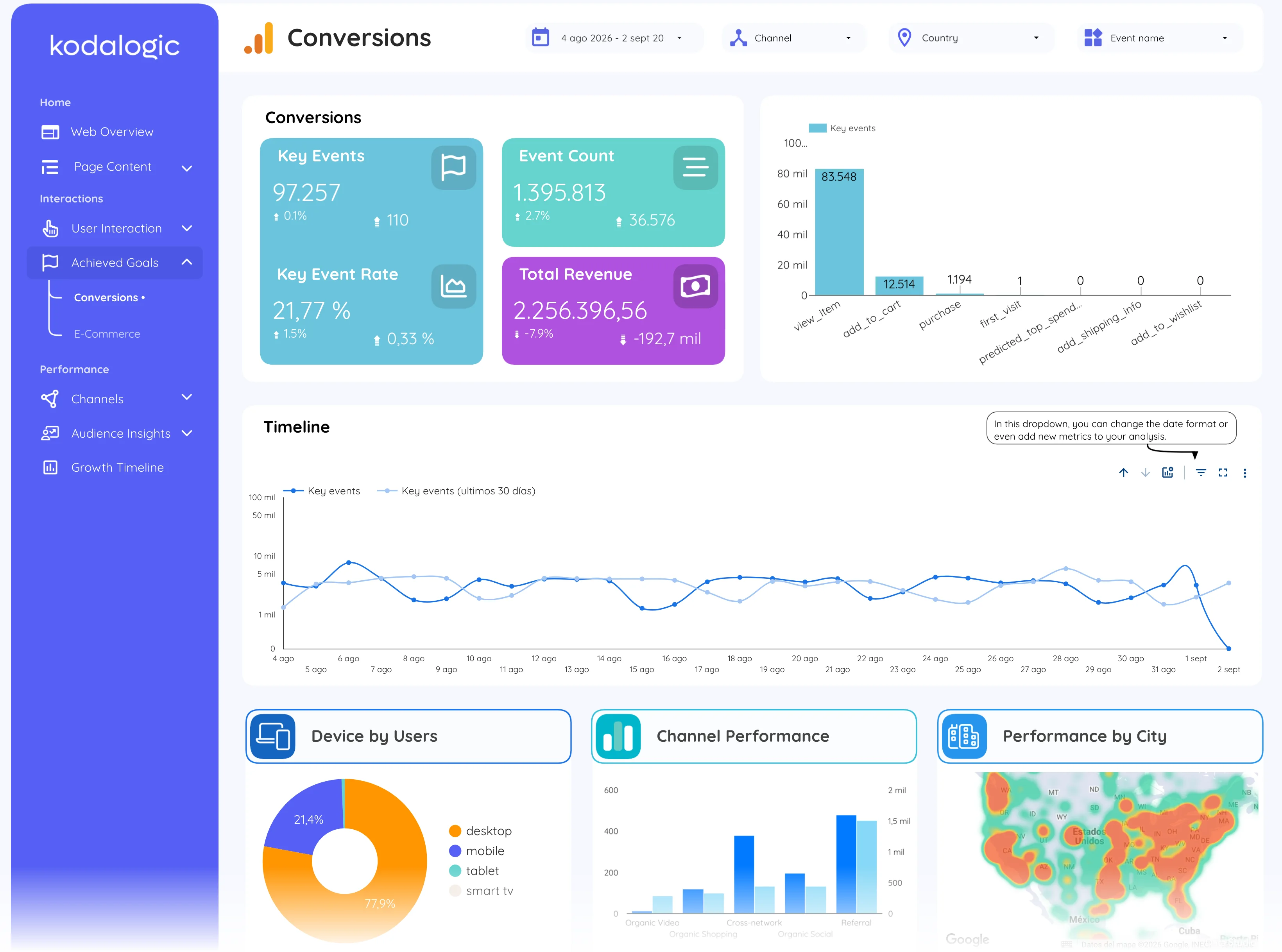
In a Data Studio (formerly Looker Studio) report key events are the second scorecard of the overview, the key event rate next to it, and the conversions page: key events by event name, over time, and by device, channel and city.
Where to find it in Google Analytics 4
Google Analytics 4: Reports, then Engagement, then Key events; marked under Admin, then Data display, then Events, with the Mark as key event toggle.