Google Analytics 4 · Dimension
What is Landing page?
A landing page is the first page a visitor sees in a session, the page that won the visit. In Google Analytics 4 it is a dimension of the session, so every session has exactly one.
| Landing page | Sessions | Key events | Rate |
|---|---|---|---|
| /templates | 2,900 | 210 | 7.2% |
| /blog/seo-report | 2,110 | 64 | 3.0% |
| / | 5,010 | 96 | 1.9% |
| /pricing | 1,240 | 88 | 7.1% |
The first page of the session, ranked by what happened after it.
- Data source
- Google Analytics 4
- Type
- Dimension
- API field
- landingPage
Why it matters
It is the page SEO and ads actually work on. A blog post that brings in 2,000 sessions a month is a landing page whether or not it was designed as one, and the pages people arrive at rarely match the pages you would choose for them.
How to read it
Read landing pages with two metrics side by side: sessions, to know which pages bring people, and key events or bounce rate, to know which keep them. GA4 also lists "(not set)" as a landing page when the session started without a page_view, usually from an app or a measurement gap.
In a Data Studio report
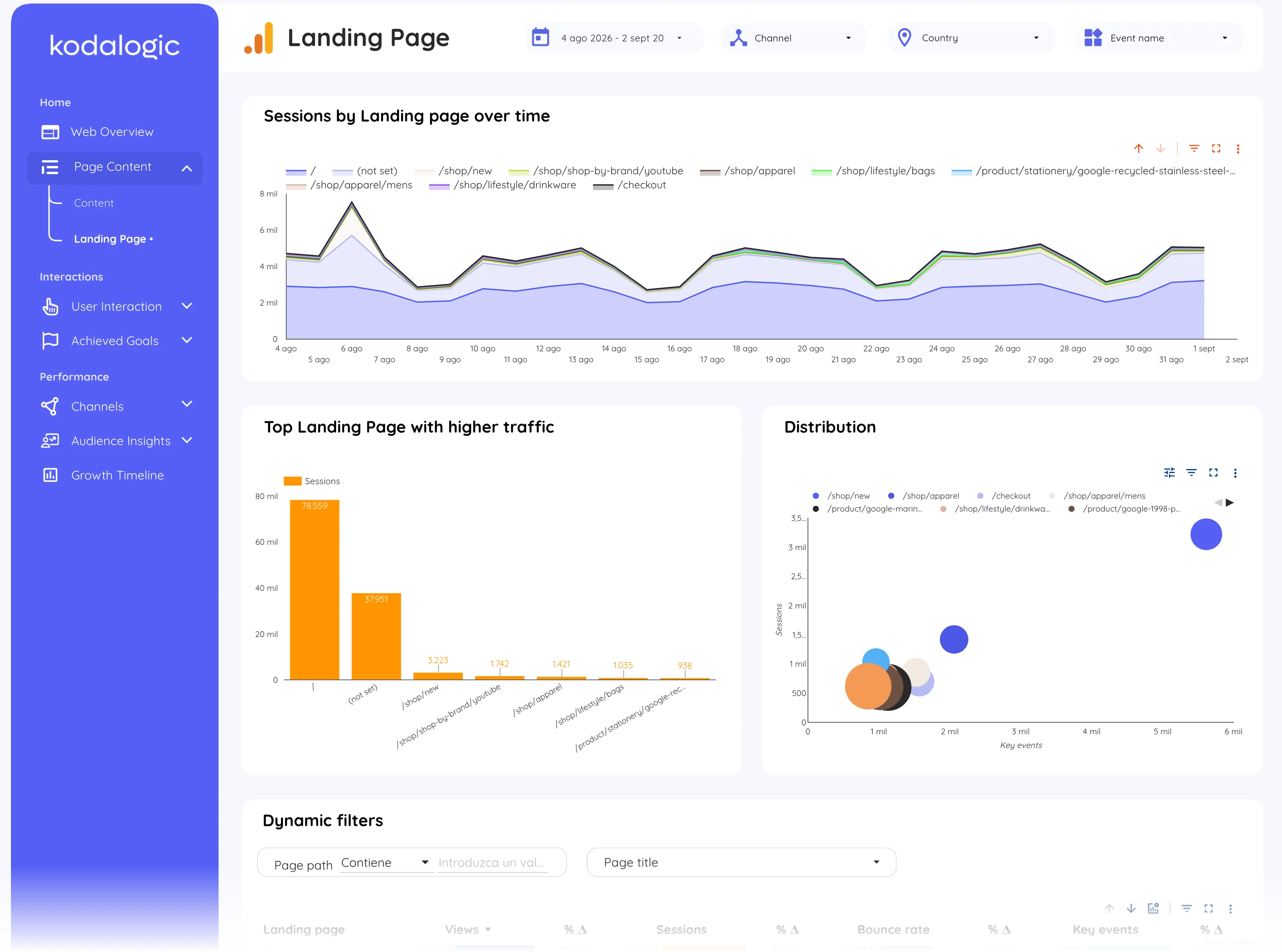
In a Data Studio (formerly Looker Studio) report the landing page section is a table of entry pages with sessions, views, bounce rate and key events, an area chart of sessions by landing page over time, and a bubble chart of sessions against key events that separates the pages that convert from the pages that only attract.
Where to find it in Google Analytics 4
Google Analytics 4: Reports, then Engagement, then Landing page (dimension Landing page + query string).