Google Analytics 4 · Dimension
What is Default channel group?
The default channel group is the set of rules Google Analytics 4 uses to sort traffic into channels such as Organic Search, Paid Search, Direct, Referral, Organic Social, Email and Cross-network, based on the source, medium and campaign of each session.
- Organic Search58%
- Direct21%
- Paid Search11%
- Referral6%
- Email4%
Every session sorted into a channel by its source and medium.
- Data source
- Google Analytics 4
- Type
- Dimension
- API field
- sessionDefaultChannelGroup
Why it matters
It is the first split of any traffic report and the one stakeholders understand: not "google / cpc" but "Paid Search". The rules are Google's and cannot be edited, which is what makes channel reports comparable across sites.
How to read it
The channel you see depends on tagging. Untagged email lands in Direct, a social post with utm_medium=social becomes Organic Social, and an unrecognised medium goes to Unassigned. A large Unassigned or Direct slice is almost always a tagging problem, not a marketing insight.
In a Data Studio report
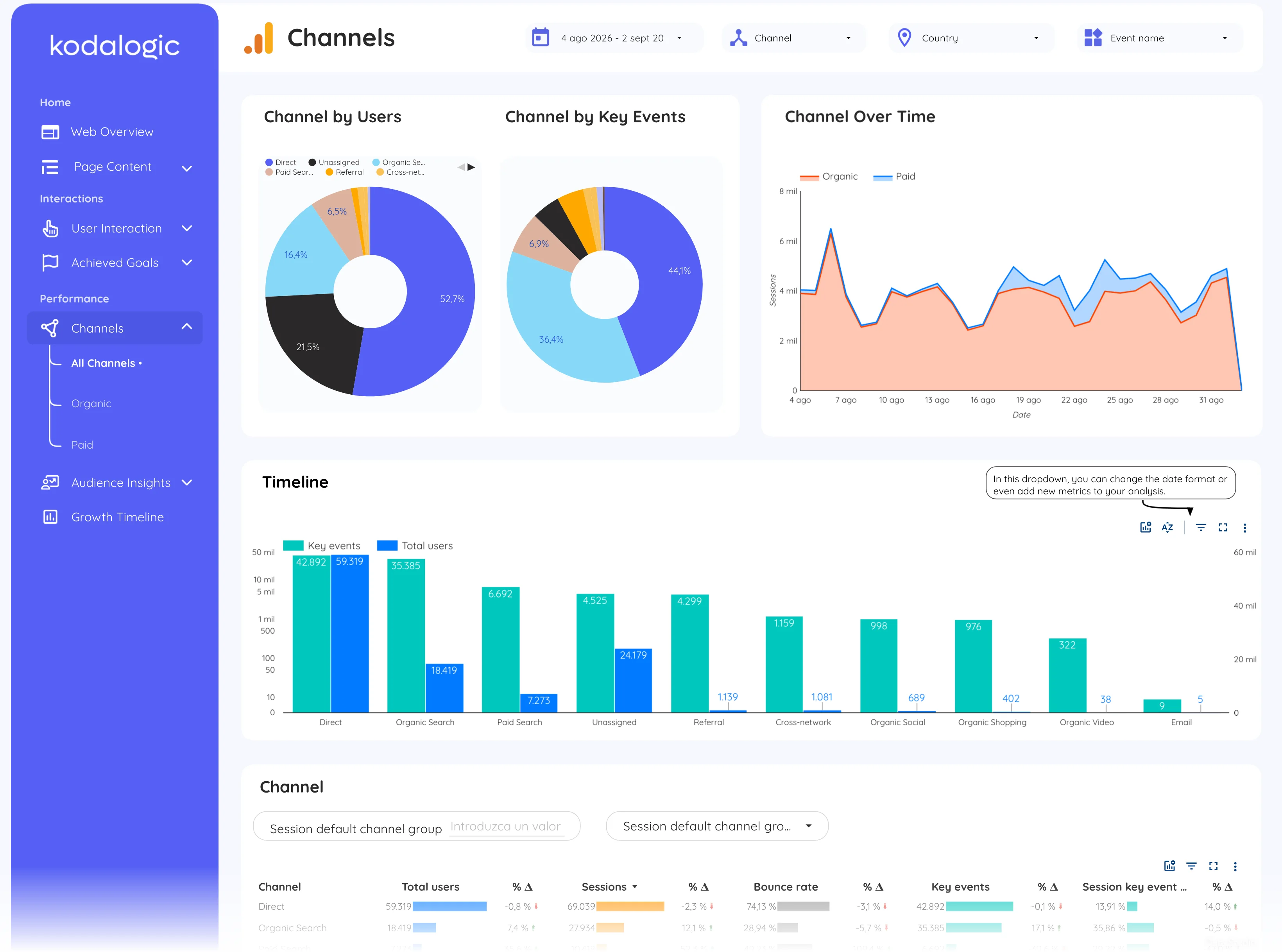
In a Data Studio (formerly Looker Studio) report the channels page is a donut of users and key events by channel, an organic-versus-paid line over time, and a table with sessions, bounce rate and key events per channel. It is usually the page a client opens first.
Where to find it in Google Analytics 4
Google Analytics 4: Reports, then Acquisition, then Traffic acquisition (dimension Session default channel group); the rules under Admin, then Channel groups.