Google Analytics 4 · Metric
What is Entrances?
Entrances are the number of times a page was the first page viewed in a session, as counted by Google Analytics 4. A page with 500 entrances started 500 visits; its exits, the mirror metric, are the times it was the last page viewed.
| Landing page | Entrances | Sessions | Engagement |
|---|---|---|---|
| / | 4,120 | 5,010 | 71% |
| /templates | 2,380 | 2,900 | 68% |
| /blog/seo-report | 1,940 | 2,110 | 59% |
| /pricing | 860 | 1,240 | 74% |
An entrance is counted on the page a session starts on.
- Data source
- Google Analytics 4
- Type
- Metric
Why it matters
Entrances say which pages do the work of bringing people in, independently of how many views they collect later in the visit. A page can have few views and many entrances, which makes it a doorway, or many views and few entrances, which makes it a destination.
How to read it
Entrances per page and sessions per landing page describe the same thing from two reports and should match closely; a gap means sessions started without a page_view, usually from an app screen or a measurement gap. Read entrances beside engagement rate: a doorway that people leave in ten seconds is a doorway to fix.
In a Data Studio report
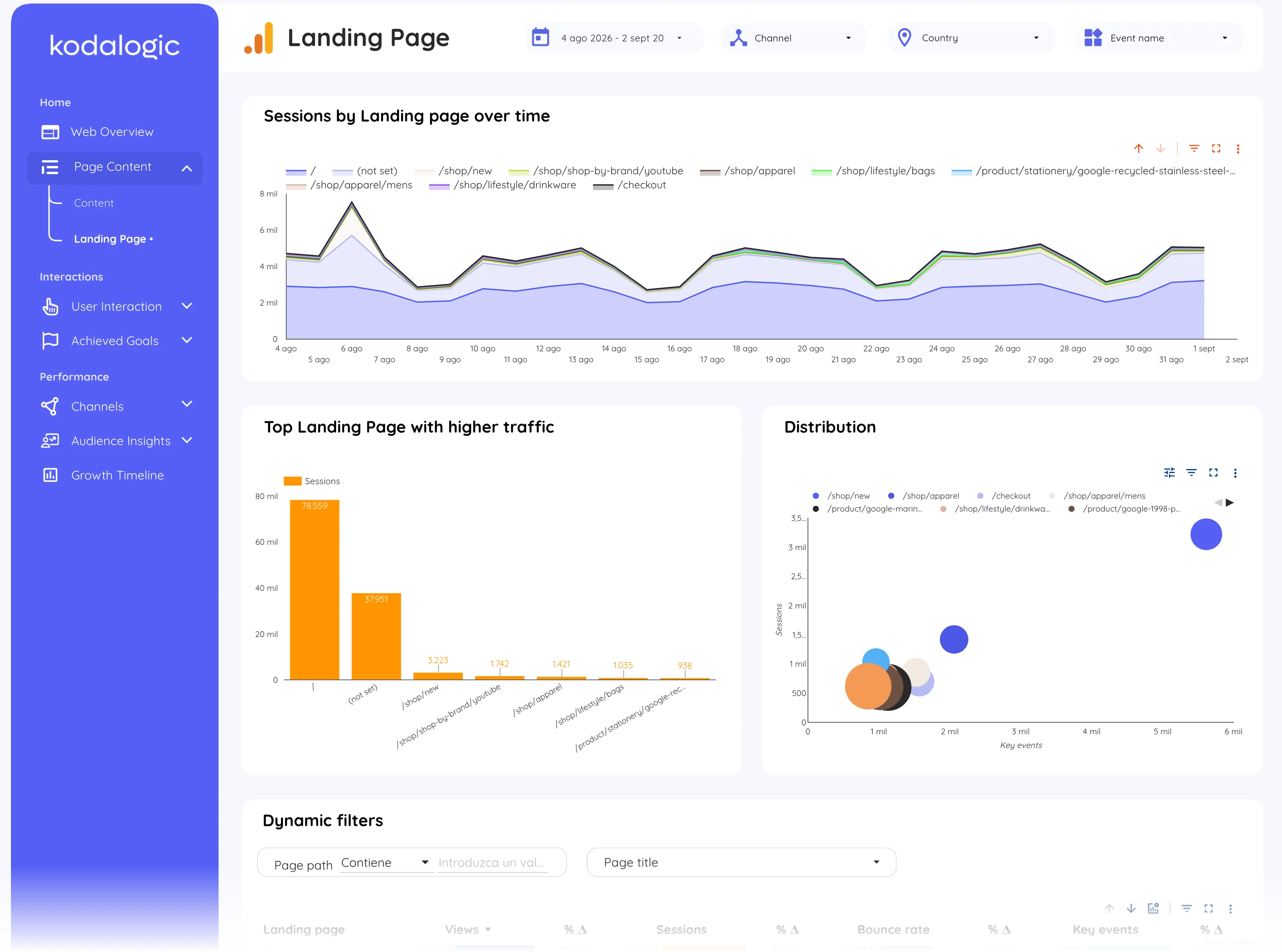
In a Data Studio (formerly Looker Studio) report entrances appear in the landing page tables next to sessions and bounce rate, and the top entrances chart shows which pages start the most visits over time, which is the list SEO work moves first.
Where to find it in Google Analytics 4
Google Analytics 4: Reports, then Engagement, then Landing page (sessions by landing page); Entrances as a metric in Explorations and in the Pages and screens report by adding the column.